White Hills v. 2 debrief
Introduction
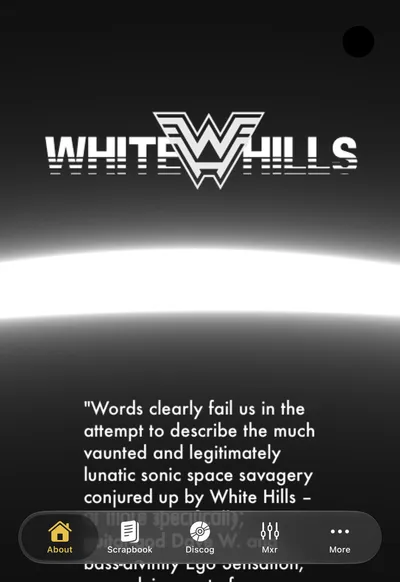
This past summer in 2026, I converted the White Hills iOS project to use SwiftUI; the project is now cross-platform and builds for iOS, macOS, and visionOS. This was in anticipation of new devices and iOS 27. And now that the iPhone Duo is out; the app will work on this device, I am happy to say (I do need to make some more updates to deal with the iPhone Duo safe areas). I have been working on this project since 2014 which is over 10 years ago now. White Hills are a neo-psychedelic band from New York city; I wanted to do something creative in making a digital media project and making an iOS app as a collaboration with the band was a way to achieve this. The app features: some interactive sections with animation, a discography, YouTube videos, an audio mixer, social media links and an AR view.
Quoting from the Apple developer web-site:
SwiftUI uses a declarative syntax, so you can simply state what your user interface should do. For example, you can write that you want a list of items consisting of text fields, then describe alignment, font, and colour for each field. Your code is simpler and easier to read than ever before, saving you time and maintenance.
This is a breakdown of what worked for me to make the project conversion happen and some of the things I needed to deal with; Swift as a language is very good in my opinion; SwiftUI is very powerful and frankly, it is quite a large API with many nuances; there is so much to know, perhaps too much. For example, in the past one might use ViewBuilderand GeometryReaders; they will work but are not the best way to achieve a desired result in SwiftUI using the appropriate change handler. I am of the opinion, if a ViewBuilder is being used, something code be improved on.
Converting to SwiftUI
This rebuilding of the project is like the “Ship of Theseus” which I learned about from watching the Marvel limited series “Wanda Vision”; some readers may already be familiar with the Greek philosopher Plutarch who wrote “Ship of Theseus” It is pretty much the same app - all the Objective-C code has been replaced with Swift; it is the same app but different under the hood in essence; there have been some UI adjustments and visual flourishes added in a few places. This reminds me of how in Japan, a historical buildings like a Shinto shrine would get completely rebuilt - is it still the same building? I am now of the opinion yes.
I remember years ago, doing a bit of work in React Native with the code to one side and a live view using an emulator that would update when the code changes. I thought at the time - this is different. What am I saying here? It would take getting used to working in such a manner - change is a constant in software development and this approach of using live previews is what I would work with in SwiftUI and Xcode.
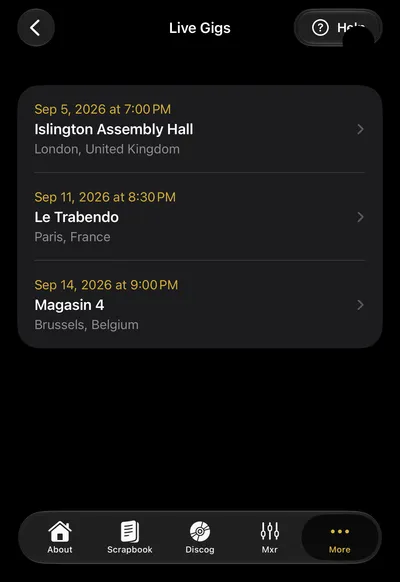
The original project was made in Objective-C with storyboards; the code is now entirely made in SwiftUI as already mentioned. There was some SceneKit code that is now using RealityKit .When the app was first made it, there was an augmented reality (AR) view which was displaying 3D content using SceneKit this code has been converted in version 2; the use of RealityKit with 3D content has been applied to a few more views in the application. I appreciate the immediacy of working with SwiftUI previews in Xcode. One may need to use mock data sources to get a preview to display something like in the live gigs section of the app; the live gigs section would fetch data from a Bands in Town API endpoint. Well planned use of Xcode previews can really save development time & you can use previews for different device types.
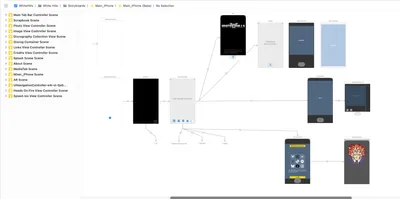
I am a very visually oriented person and I was content working with Xcode interface builder files (XIBs) and then came storyboards which allowed me to connect the views together indicating navigation; your storyboards could get quite large then came storyboard references which made it easy to arrange logical groupings of multiple views in a single file. The original app had storyboards for iOS and iPad then along came the Apple Vision Pro and I added a new set of storyboards from visionOS which were quite similar to the iPad storyboards - ok, this is starting to get unwieldy having to maintain 3 sets of storyboards for different platforms. Designing for the iPad can require using different layouts to best use of the device screen size hence I had separate storyboards for the iPad originally.
The project was well structured in Xcode which meant changes could be done methodically section by section.
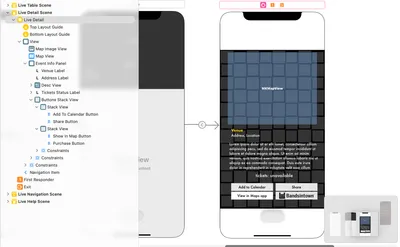
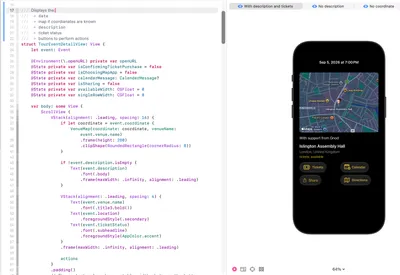
Now, the code is largely the same for all platforms and where needed run-time checks are done to create a view a different device. Before the conversion, one would need to hook up the storyboard to a view controller; that step is no longer required; meaning you only need to update the code and not also an interface file. One loss is that we don’t get to have a wireframe view of the app flow by virtue of how storyboard files work.
A significant change to the app was to use scene based approach recommended by Apple to work with multiple windows in visionOS. This had been done prior to the version 2 refactor.
https://developer.apple.com/documentation/UIKit/transitioning-to-the-uikit-scene-based-life-cycle
Also as part of the code migration, the new code would support changing of the view size. The app will handle orientation changes from portrait to landscape and resizing windows on the iPad. One of the handlers to adapt is onGeometryChange. This would also come into play with iPhone Duo when transitioning between device screens.
.onGeometryChange(for: CGSize.self) { proxy in
        proxy.size
    } action: { newSize in
        containerSize = newSize
    }
No more TableViews
I can remember writing much code dealing with various aspects of TableViews and TableView data sources with UIKit. One would often use TableView which would require code to reuse cell rows - this is no longer the case.
List(videos) { video in
    if isInMoreSection {
        // More's stack isn't a SwiftUI `NavigationStack`, so
        // value-based links highlight and then do nothing —
        // destination-based links push correctly.
        NavigationLink(destination: VideoPlayerScreen(video: video)) {
            VideoRow(video: video)
        }
        .listRowBackground(rowBackground)
    } else {
        NavigationLink(value: video) {
            VideoRow(video: video)
        }
        .listRowBackground(rowBackground)
    }
}
.listStyle(.plain)
RealityKit in visionOS
In visionOS, there were some challenges as well when working with RealityKit because of the very nature of content being rendered in 3D. Some views got weird that look fine in iOS where the RealityKit content is rendered in a 2D layer. In visionOS, a RealityView want to be in 3D when using a ZStack, the order is important; If the RealityKitview is at the back of the ZStack, the UI layer would get pushed out by the depth of the RealityKit view, a work around is to present the RealityKit content above the SwiftUI content - meaning a different arrangement in the ZStack. If that ZStack was for iOS, the logo could be between the controls and the other visual layers.
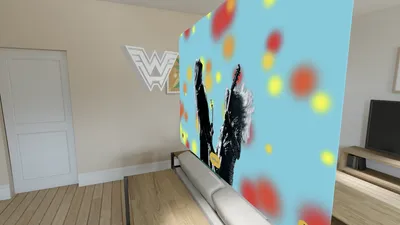
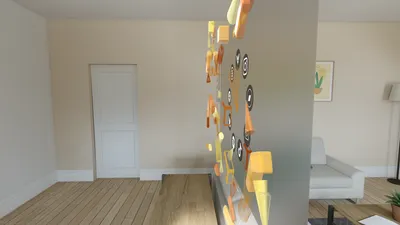
/// The splash screen: dots, band photo, controls, and the animated logo.
struct SplashView: View {
    var body: some View {
        ZStack(alignment: .bottom) {
            // Layer 4 - backmost
            SplashBackdropView()

            // Layer 3 - band image
            SplashBandImageView()

            // Layer 2 - UI
            VStack {
                Spacer()
                SplashControls(onContinue: onContinue)
            }

            // Layer 1 - frontmost: the animated logo sits above everything.
            // Hit testing is disabled so the controls beneath stay tappable.
            SplashLogoView()
                .allowsHitTesting(false)
        }
    }
}
Other UI changes
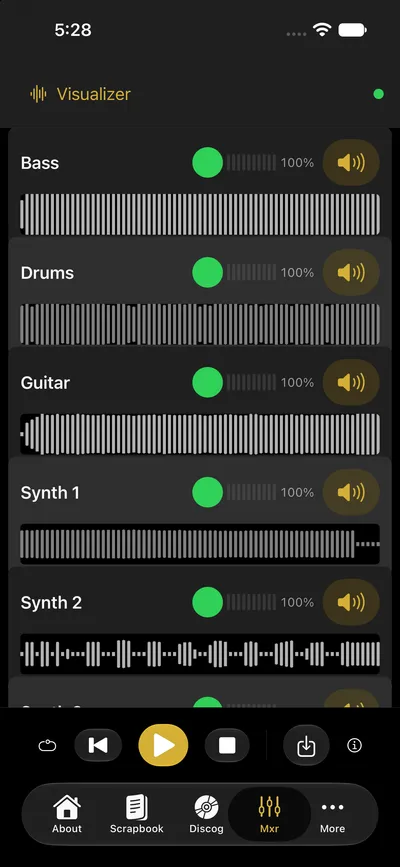
I also spent time reviewing the UI of the app and making changes to work with Liquid glass. The mixer UI has been updated to play nice with Liquid glass.
https://developer.apple.com/documentation/technologyoverviews/adopting-liquid-glass
Swift Packages
I am also embracing the habit of putting code into Swift packages such that it can be used in other projects. Coming up with packages names is a bit of a slog 😀. I named one package "BespokeButtons" because just "Buttons" is too generic.
When I implemented the new mixer code for visionOS, that was being done using two new Swift packages in SwiftUI: the mixer and the spatial visualizer code. This mixer was then incorporated into the new iOS code.
Using Swift packages also encourages well thought out encapsulation.
Custom Layouts and more
One thing that I had been wanting to do more with is use custom layouts . In one view of he app, I had arranged some buttons in a circle; one catch was if the view gets resized to a compact trait, the arrangement needs to switch to using rows as the circular layout won’t fit.
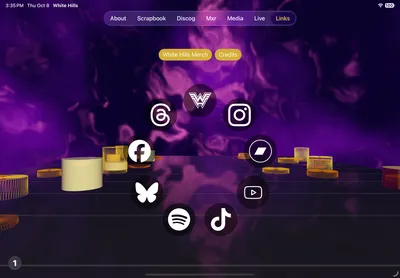
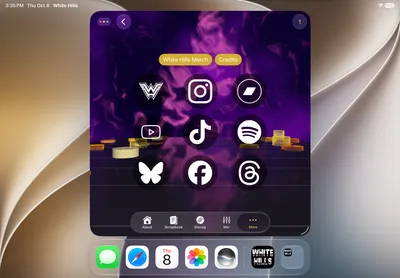
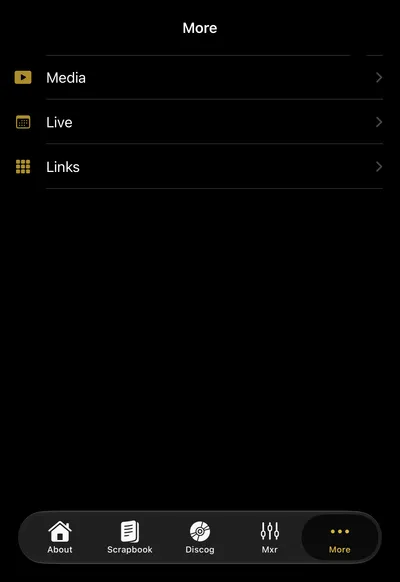
The app uses a tab bar with more than 5 tabs; the code gets convoluted on an iOS device display when the display trait is compact. The operating system will display a “More” button at tab position 5 and the user will be presented with a list of additional sections when the more button is tapped. Specifically what gets messy is using a navigation controller in a tab section; you need to add run-time checking code to avoid having multiple navigation controllers if the device trait is compact. It is worth mentioning that the same run-time checking was done in the UIKit code in Objective-C. It does make me think if I should restructure the app to have less tabs for a future update. For example, the photos and YouTube content could be grouped under a media tab.
New Features
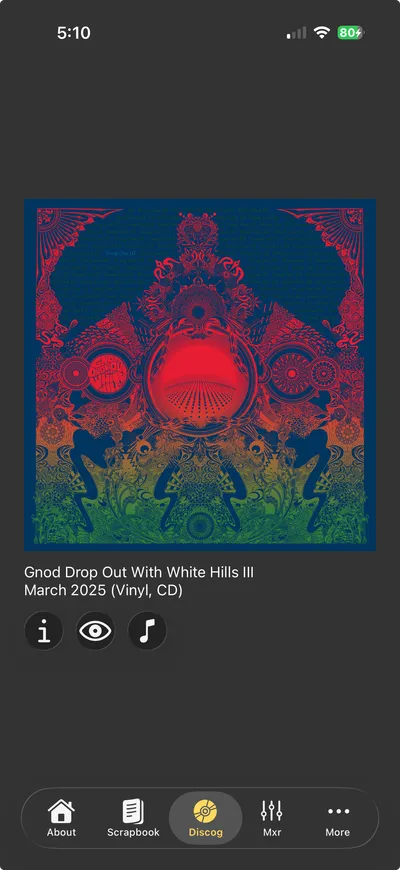
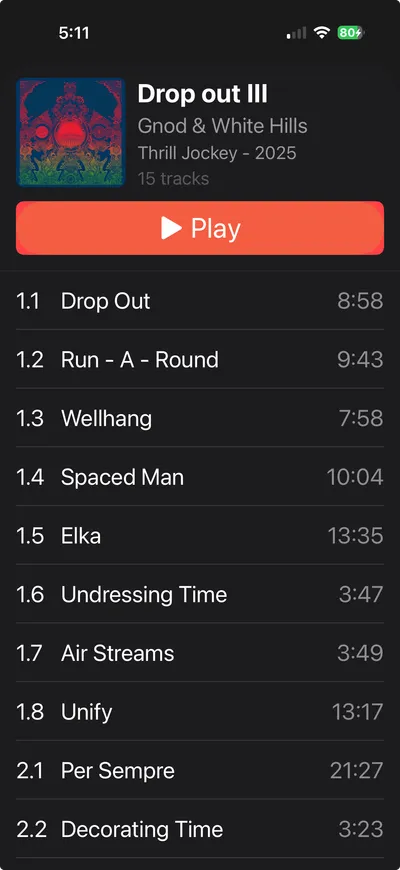
One new feature that I had been wanting to add for some time was MusicKit support; when viewing an album in the discography section, you could select to listen to an album if you have an Apple music subscription otherwise you could hear a preview of the audio.
Conclusion
In conclusion, it was a good chunk of work to convert the application and I am happy with how it went. I think the code is in a good place for whatever may come next. It is worth mentioning this new version of the project is in a new repository under version control; the version 1 code is still there should I ever want to revisit it.
I do have some more work to do - a designer friend pointed out some room for improvement with the use of colour with respect to accessibility.